
Understanding Pancha Pakshi Shastra
Share this post
Understanding Pancha Pakshi Shastra: A Practical Guide to the Sithars Astrology Module
Have you ever felt that some days naturally support your efforts, while others seem to resist them?
Pancha Pakshi Shastra offers a time-based way to understand this pattern and plan actions more wisely.
This guide explains the concept first, then shows how the Sithars Astrology Pancha Pakshi module helps you use it in daily life.
What is Pancha Pakshi Shastra?
Pancha Pakshi Shastra is a traditional Tamil astrological timing system.
“Pancha” means five, and “Pakshi” means bird.
The system works on the idea that each person is linked to one of five birds, and that bird cycles through changing activity states through day and night.
Those states help indicate better and weaker time windows for action.
The Five Birds
The system uses five governing birds:
• Vulture (Kazhugu)
• Owl (Koogai)
• Crow (Kakam)
• Cock (Seval)
• Peacock (Mayil)
Your birth details determine your birth bird, and calculations are personalized from that point.
The Five Activity States
Each bird cycles through five states:
1. Ruling
2. Eating
3. Walking
4. Sleeping
5. Dying
In practical usage, strong states are usually preferred for important action, while weaker states are treated with caution.
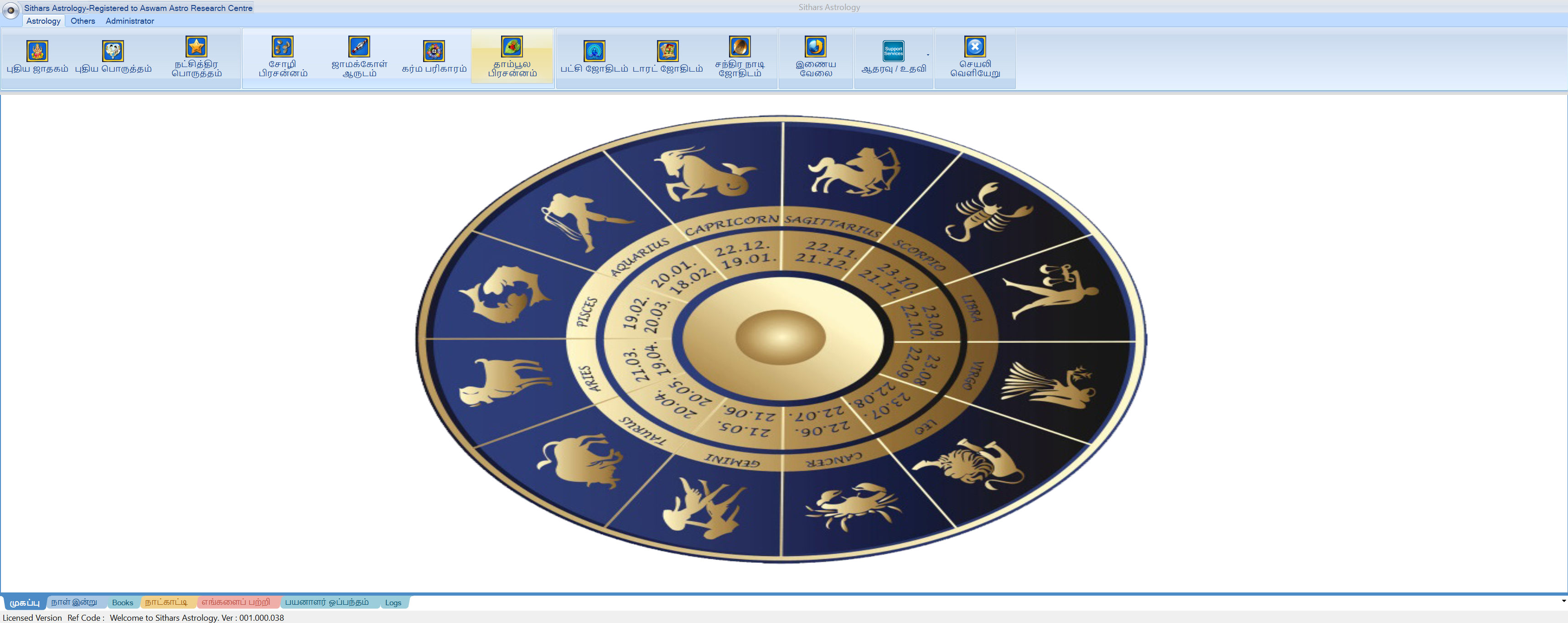
How the Sithars Astrology Module Helps
The Pancha Pakshi module in Sithars Astrology gives guidance in layered form:
1. Day-level guidance (30-day and month views)
2. Time-slot guidance (hourly popup for selected day)
This helps users first pick a better date, then pick a better time window inside that date.
Main Guidance Views
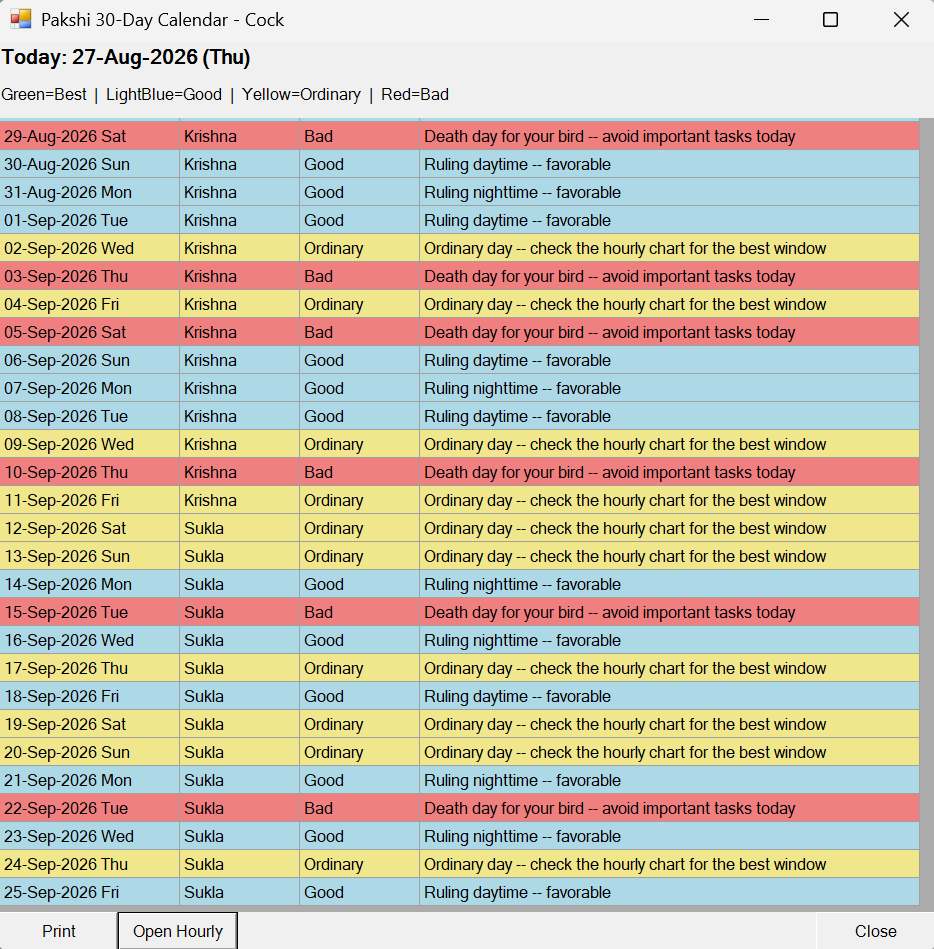
1) 30-Day Grid Calendar (starts from today)
This view shows:
• Date
• Paksha (lunar phase label)
• Day Type
• Summary guidance
Day types are color-coded:
• Green = Best
• Light Blue = Good
• Yellow = Ordinary
• Red = Bad
A Today banner is shown in the calendar: Today: dd-MMM-yyyy (ddd)
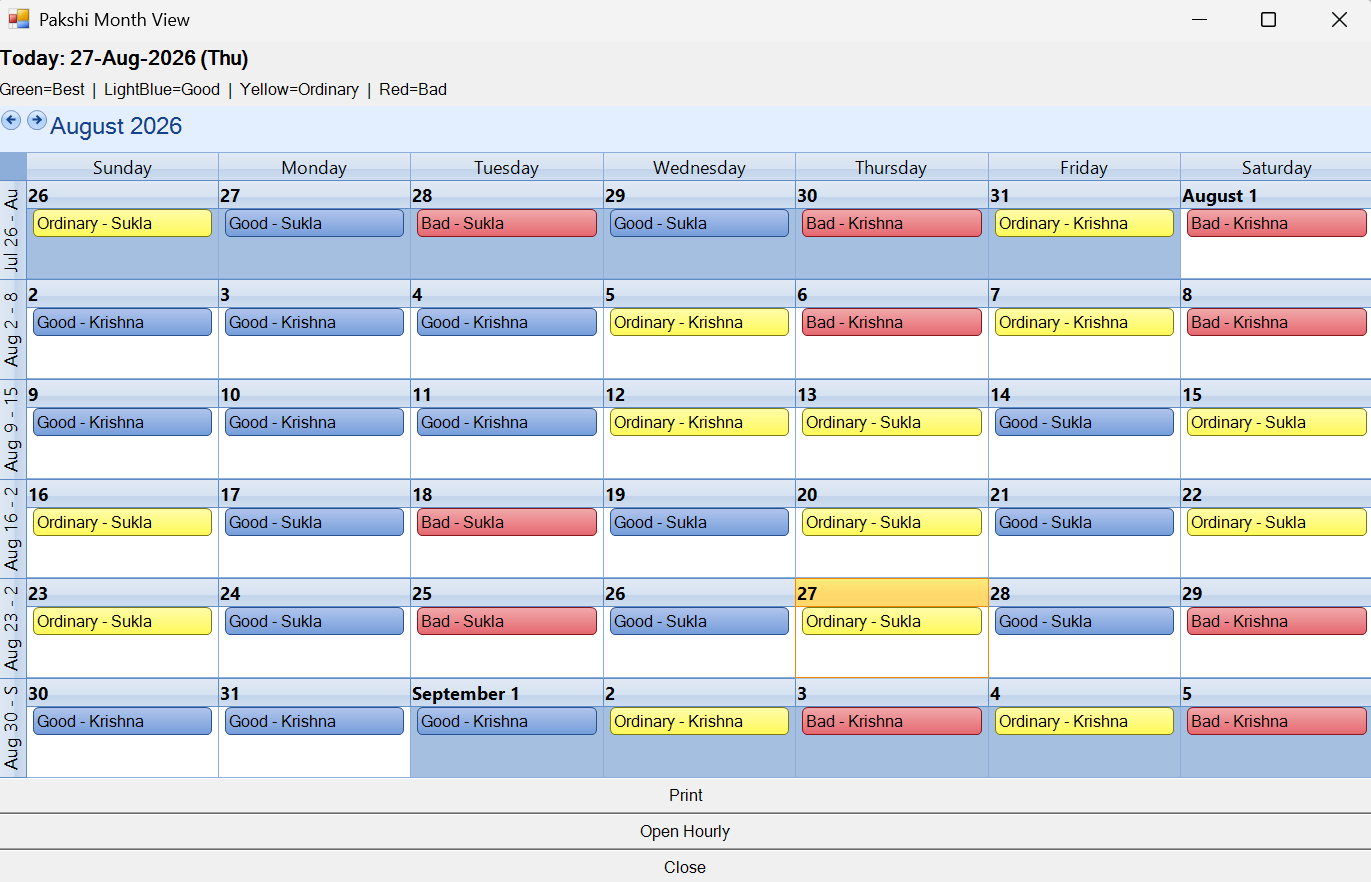
2) Month Calendar View
This is the month-grid style calendar view with:
• month navigation
• day-level colored entries
• same day-type meaning (Best/Good/Ordinary/Bad)
• Today banner
It is useful for broader monthly planning with a familiar calendar layout.
3) Hourly Guidance for Selected Day
From day-level calendar, users can open hourly detail (Open Hourly / double-click day).
This popup provides:
• Start time
• End time
• Session
• Bird activity
• Rating
• Advice
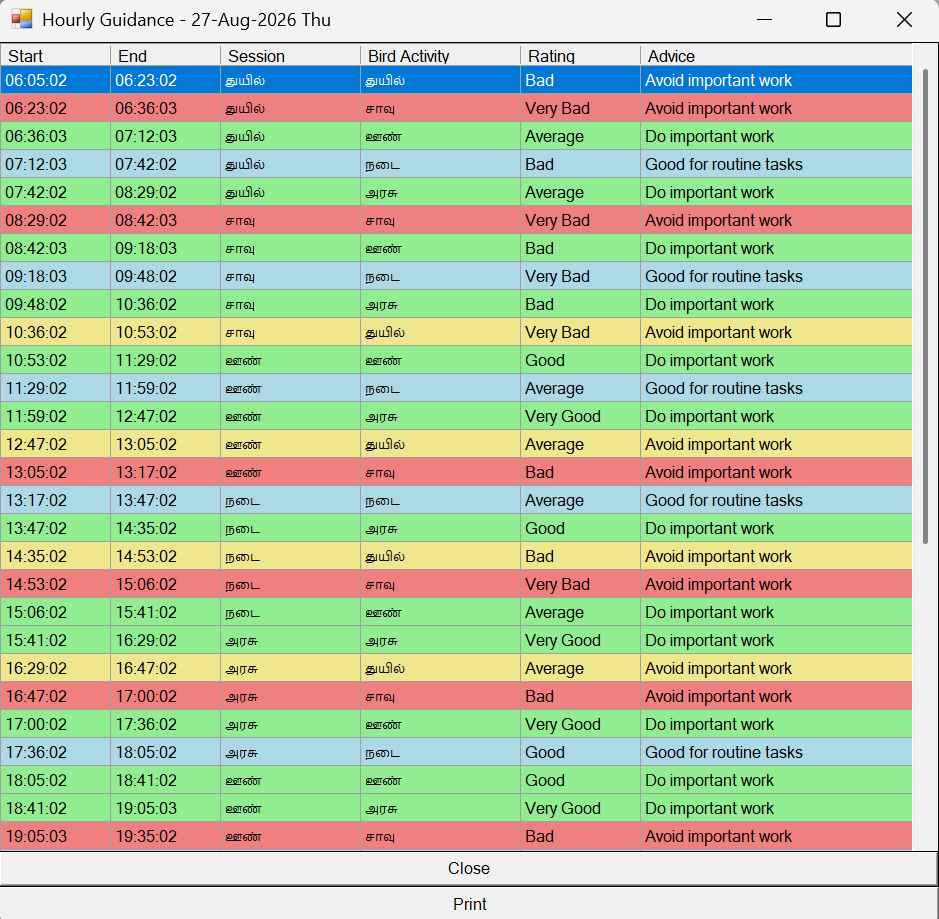
Typical guidance pattern:
• stronger states: better for important actions
• weaker states: better to avoid major starts / use caution
How to Use the Module Effectively
1. Open calendar guidance and scan day colors.
2. Pick a day marked Best/Good when possible.
3. Open hourly guidance for that day.
4. Choose a stronger time slot for critical actions.
5. Use weaker slots for low-risk/routine tasks.
Print and Report Support
The module supports print from:
• 30-day grid view
• hourly guidance view
• month calendar view
Printing follows preview-first workflow (as used in the application).
Print output includes contextual identity line such as:
Guidance for [Native Name] | Born on [DOB]
So printed reports clearly show whose guidance is being viewed.
Frequently Asked Questions
Q: Can I use this for everyday decisions?
A: Absolutely! While it's excellent for major life events, many users consult the daily guidance for scheduling meetings, starting new projects, or even planning travel.
Q: What if my bird is in a weak state on a day I must take action?
A: The guidance is meant to optimize your timing, not restrict you. If you must act during a weaker period, proceed with extra caution and do the preparatory work during stronger periods.
Q: Does this replace other astrological systems?
A: Pancha Pakshi Shastra works beautifully alongside other systems like Vedic astrology. Many users combine it with other traditions for comprehensive guidance.
Comments